
Introduction
In the software development world, version control is essential. However, many developers still struggle to master key tools like Git. Have you ever found yourself in a merge conflict without knowing how to resolve it?
In this article, we will explore the best Git practices that every dev should know, focusing on the difference between Git merge vs rebase, the proper management of commits, the importance of branches, and how to structure an efficient workflow.
Understanding Git Merge and Rebase
For those working with Git, understanding merge and rebase is fundamental. Both methods allow you to combine changes, but they do so in different ways.
Git Merge
The git merge command combines two branches by creating a new merge commit. This technique preserves the history of both branches, which can be helpful in keeping a clear record of contributions. However, it can lead to a more complicated history.
Git Rebase
On the other hand, git rebase applies changes from one branch onto another, rewriting history. This results in a cleaner, linear tree, but it can complicate collaboration if used incorrectly. Care should be taken when rebasing shared branches.
Managing Commits and Branches
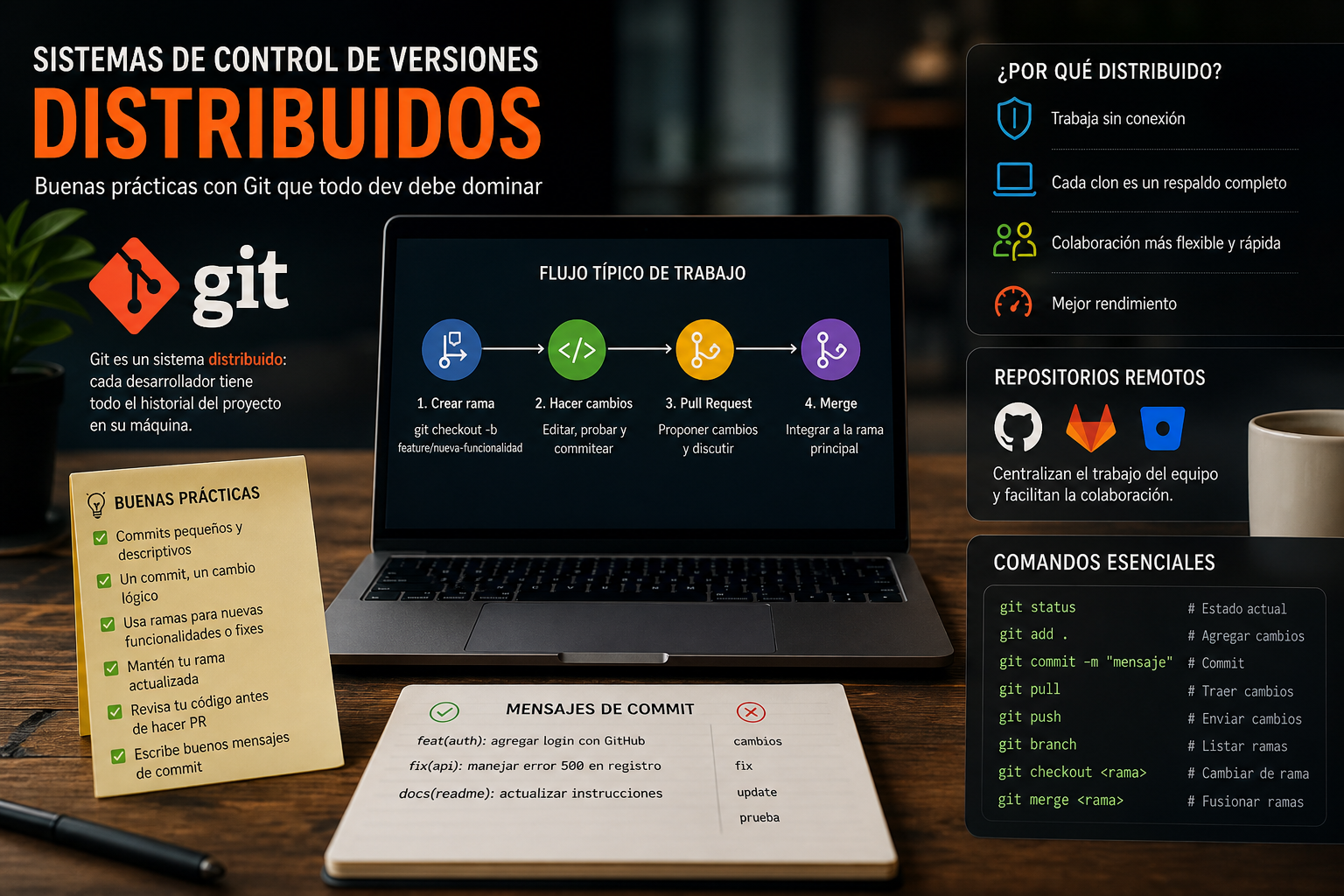
A good Git workflow also requires efficient management of commits and branches.
Effective Commits
Make commits frequently, and ensure they are small and focused. A good commit message should explain the ‘what’ and ‘why’ of the change. This makes it easier to review and track changes in the future.
Branch Usage
Creating branches for new features or fixes is a key practice. Use descriptive names and follow a branching scheme, such as Git Flow, to organize your work and keep the code stable.
Recommended Workflows
Choosing an appropriate workflow can facilitate team collaboration and the management of complex projects.
Git Flow
Git Flow is a branching model that defines specific roles for different branches. It includes branches like develop and master, as well as feature and fix branches, allowing for structured and controlled development.
Common Mistakes and Best Practices
- Not making descriptive commits: Vague messages can lead to confusion.
- Forgetting to merge frequently: This can lead to difficult conflicts to resolve.
- Not using branches: Working directly on the main branch can compromise code stability.
Conclusion
Mastering Git is crucial for any developer. Remember that each tool has its appropriate use; practicing Git merge vs rebase and maintaining good management of commits and branches will help you optimize your workflow. Practical Tip: Set a commit policy within your team to ensure clarity and consistency.
Keywords: Git merge vs rebase, commits, ramas, flujo de trabajo
Views: 35